Password Generator - Free AI Assistant Security Tool

Password Generator Calculator

Password Settings

Short (8) Recommended (16) Maximum (64)

Character Types

Password Requirements

Met ✓
Minimum 8 characters
At least 2 character types

Password History

Generated Password

Your Password

Password Strength

Calculating...
Weak Medium Strong Very Strong
0
Entropy Bits
0
Crack Time
0
Char Types
0
Score /100

Security Tips

  • Use 16+ characters for critical accounts
  • Enable two-factor authentication
  • Use a password manager for storage
  • Never reuse passwords across sites

Password Security Calculation Formula

How Password Strength is Calculated: Entropy and Complexity

Password strength is measured using entropy, which quantifies the uncertainty or randomness in a password. Higher entropy means more possible combinations and greater security.

Entropy (bits) = log₂(CharacterSetSize ^ PasswordLength)
CharacterSetSize = ∑(Character Types Selected)
Crack Time = (Possible Combinations) / (Guesses per Second)

Character Set Sizes

  • Uppercase letters (A-Z): 26 characters
  • Lowercase letters (a-z): 26 characters
  • Numbers (0-9): 10 characters
  • Common symbols (!@#$%^&*): 32 characters

Example Calculation

For a 16-character password using all character types:

  • Character set size: 26 + 26 + 10 + 32 = 94 possible characters
  • Total combinations: 94¹⁶ ≈ 3.7 × 10³¹ possibilities
  • Entropy: log₂(94¹⁶) ≈ 106 bits
  • Crack time (at 10¹² guesses/sec): ≈ 117 million years

Security Recommendations

According to the National Institute of Standards and Technology (NIST), passwords should have at least 8 characters with no complexity requirements, but longer passphrases (12+ characters) are recommended for better security and memorability.

How to Use Password Generator

1

Set Your Requirements

Choose password length (8-64 characters) and select which character types to include: uppercase, lowercase, numbers, and symbols.

2

Customize Settings

Select password type (random, pronounceable, etc.) and choose to exclude similar or ambiguous characters for better readability.

3

Generate & Analyze

Click generate to create your password. Review the strength analysis, entropy score, and estimated crack time.

4

Copy & Save

Copy the password to your clipboard and save it in your password manager. All generation happens locally for maximum security.

Pro Tips for Maximum Security

  • Use 16+ character passwords for banking and email accounts
  • Enable two-factor authentication whenever possible
  • Use a different password for every account
  • Consider using passphrases (3-4 random words) for better memorability
  • Regularly update passwords for critical accounts (every 3-6 months)
  • Use our AI assistant for personalized security recommendations

Frequently Asked Questions

How secure are the passwords generated by this tool?

Our Password Generator creates highly secure passwords using cryptographically strong random number generation. All passwords are generated locally in your browser and never transmitted over the internet. The tool calculates entropy and estimated crack time to ensure maximum security.

Can I use generated passwords for banking and financial accounts?

Yes, passwords generated by our calculator meet or exceed security requirements for banking and financial institutions when using recommended settings (16+ characters with all character types). We recommend using our strongest settings (20+ characters with all character types) for financial accounts.

Is there a limit to how many passwords I can generate?

No, our free Password Generator calculator has no usage limits. You can generate unlimited passwords without registration or subscription. All features are available at no cost, including AI assistance and advanced security analysis.

Do you store or track the passwords I generate?

No, all password generation happens locally in your browser. We do not store, transmit, or track any passwords you generate. Your security is our priority. The only data stored locally is your password generation history, which you can clear at any time.

What makes this Password Generator better than others?

Our tool offers AI-assisted recommendations, password strength analysis, pronounceable password options, pattern-based generation, entropy calculation, crack time estimation, and advanced security features all in one free tool. Plus, everything happens locally for maximum privacy.

Complete Guide to Password Security: Generation, Management, and Best Practices

Updated: December 2025 | By Security Calculator Team

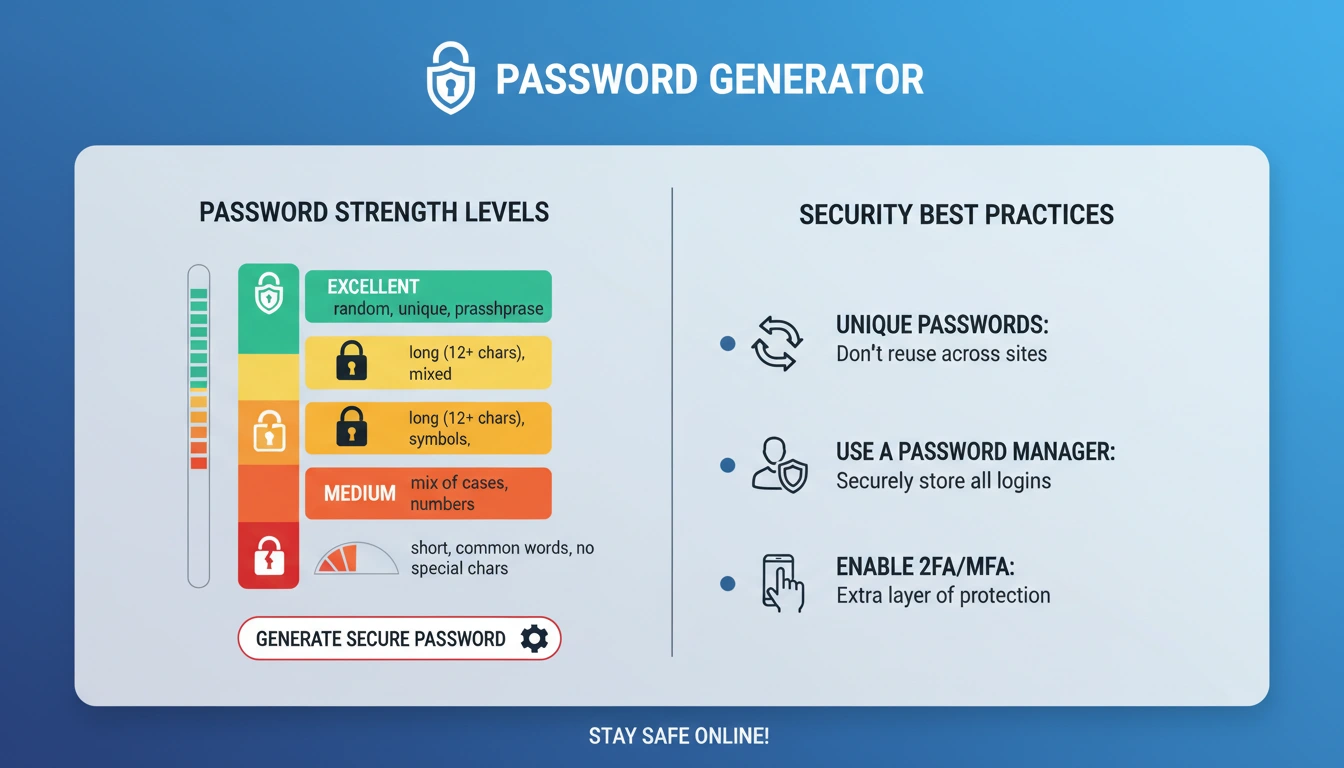
Password Generator infographic showing password strength levels and security best practices

What is a Password Generator and Why It Matters

A Password Generator is a specialized security tool that creates strong, random passwords to protect your online accounts. Unlike traditional password creation methods that often result in weak, predictable passwords, a modern password generator tool uses cryptographically secure algorithms to produce passwords that are virtually impossible to guess or crack through brute force attacks.

The importance of using a reliable secure password generator has never been greater. According to Verizon's 2023 Data Breach Investigations Report, over 80% of hacking-related breaches involve compromised credentials. This demonstrates why having access to a free, reliable password generator calculator is essential for personal and business security.

Benefits and Practical Applications

Using a professional password generator offers numerous benefits beyond basic security. First, it eliminates human bias and patterns that make passwords predictable. Second, it ensures compliance with complex password requirements for different services. Third, it saves time while improving security posture significantly.

Practical applications of password generation tools include:

  • Personal Account Security: Generate unique passwords for email, social media, and banking accounts
  • Business Compliance: Create passwords that meet corporate security policies and industry regulations
  • Developer Tools: Generate secure API keys, database passwords, and encryption keys
  • Team Management: Create initial passwords for new team members that must be changed on first login
  • Emergency Access: Generate one-time passwords for secure sharing situations
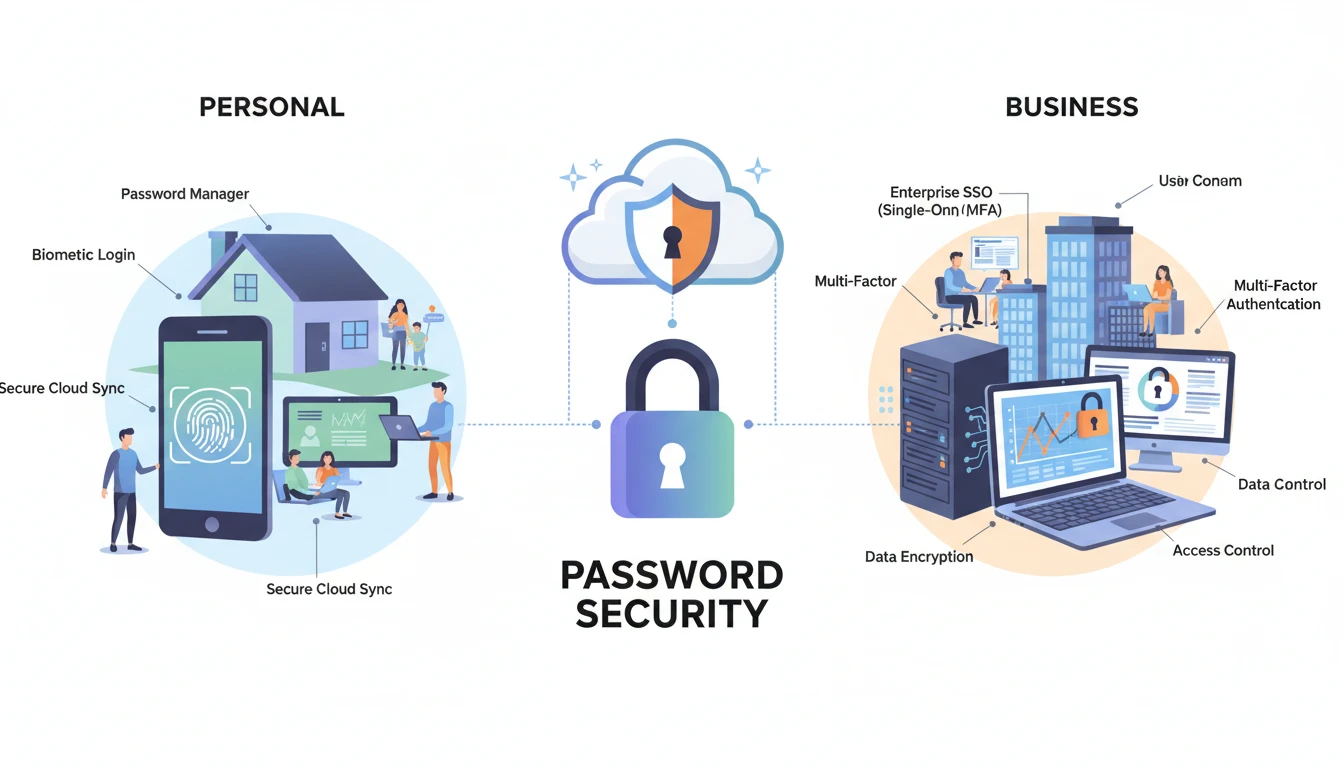
Illustration of password security applications in personal and business environments

Technical Implementation and Entropy Calculation

Modern password generators use sophisticated algorithms to ensure true randomness. The core of password security lies in entropy calculation - a mathematical measure of unpredictability. Our password generator calculator calculates entropy in bits, where higher values indicate stronger passwords.

The mathematical foundation involves calculating the total possible combinations based on character set size and password length. For example, a 12-character password using all character types (94 possible characters) has 94¹² possible combinations, resulting in approximately 78 bits of entropy. This means it would take billions of years to crack at current computing speeds.

Our tool implements cryptographically secure random number generation following standards recommended by security experts. This ensures that each password is statistically random and not predictable. For those interested in other personalized tools, our Life Path Number Calculator offers different insights into personal patterns and characteristics.

Password Generator Best Practices

To maximize the effectiveness of your password creation strategy, follow these best practices:

  1. Length Over Complexity: Focus on password length (16+ characters) rather than complex character requirements
  2. Unique Passwords: Never reuse passwords across different accounts or services
  3. Regular Updates: Change passwords for critical accounts every 3-6 months
  4. Password Managers: Use a reputable password manager to store and organize your generated passwords
  5. Two-Factor Authentication: Always enable 2FA where available for additional security

For businesses implementing password policies, it's worth exploring complementary tools like our Love Calculator for team building or our Dog Age Calculator for pet-friendly workplace policies.

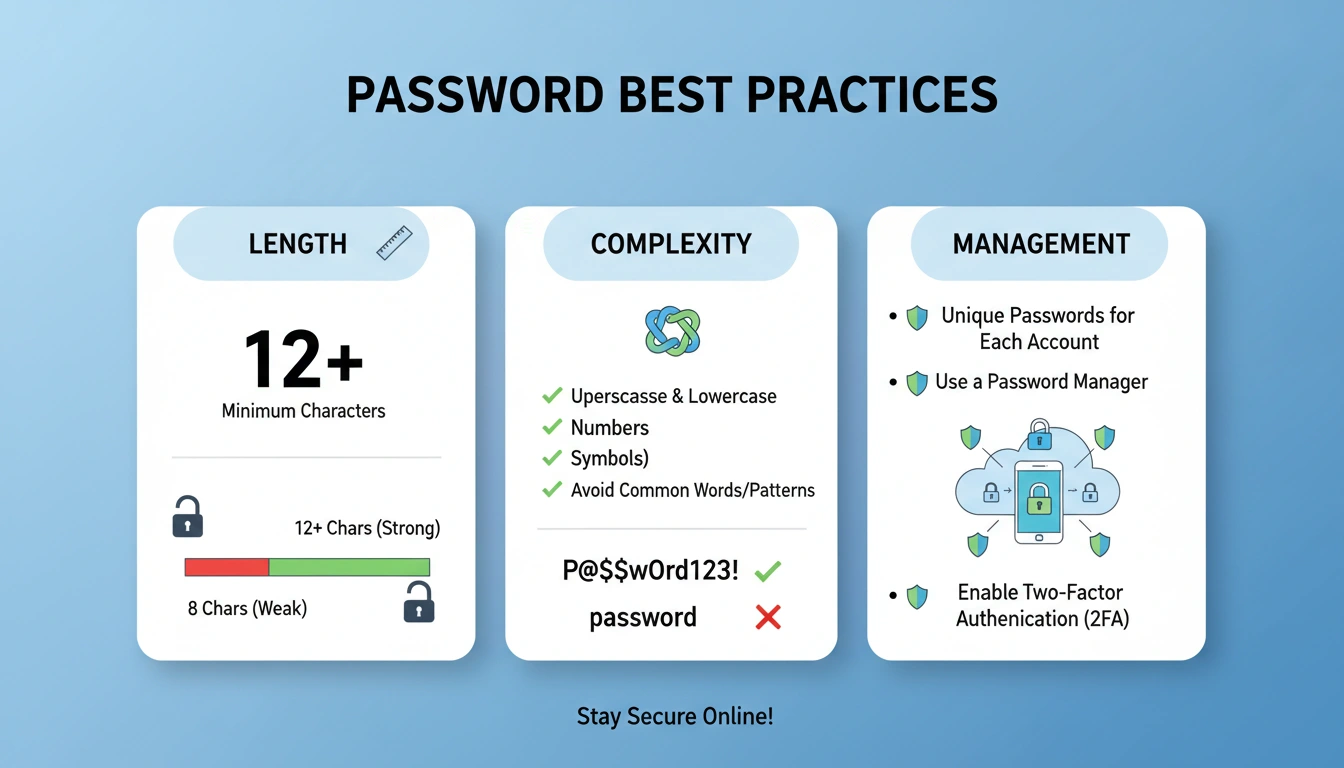
Visual guide to password best practices including length, complexity, and management guidelines

Global Password Security Standards

Password security standards vary globally, with different countries and industries implementing specific requirements. According to the National Institute of Standards and Technology (NIST), current best practices emphasize:

  • Minimum 8 characters, but longer passphrases (12+ characters) are recommended
  • No mandatory complexity requirements (no forced special characters)
  • No mandatory periodic password changes unless compromised
  • Check passwords against known breach databases
  • Allow all printable ASCII characters, including spaces

These standards represent a shift from traditional password policies toward more user-friendly yet secure approaches. Our free password generator aligns with these recommendations while providing flexibility for different requirements.

Future Trends and Innovations

The future of password security includes passwordless authentication, biometric integration, hardware security keys, and AI-powered threat detection. As quantum computing advances, new cryptographic standards will emerge to protect against future threats.

Our free Password Generator calculator continuously evolves to incorporate these advancements, ensuring users always have access to cutting-edge security technology without cost barriers. Whether you're an individual user, small business owner, or enterprise security professional, understanding how to effectively generate and manage secure passwords is becoming an essential digital literacy skill.

Key Takeaways

  • Password generators create cryptographically secure passwords using true randomness
  • Password strength is measured in entropy bits, with higher values indicating stronger security
  • Length (16+ characters) is more important than complex character requirements
  • Never reuse passwords across different accounts or services
  • Use password managers to securely store and organize generated passwords
  • Enable two-factor authentication whenever available for added security
  • Free password generator tools provide professional-grade security without cost barriers

Keywords used: Password Generator, password creation, password generator tool, secure password generator, password generator calculator, password generation tools, password security, cryptographically secure random number generation, free password generator, password security standards.

`); printWindow.document.close(); printWindow.focus(); setTimeout(() => { printWindow.print(); printWindow.close(); }, 500); } showNotification(message, type = 'success') { const notification = document.createElement('div'); notification.className = `fixed top-4 right-4 bg-${type === 'success' ? 'green' : 'red'}-600 text-white px-6 py-3 rounded-lg shadow-lg z-50 animate-fade-in`; notification.textContent = message; notification.setAttribute('role', 'alert'); document.body.appendChild(notification); setTimeout(() => { notification.classList.add('opacity-0', 'transition-opacity', 'duration-300'); setTimeout(() => notification.remove(), 300); }, 3000); } }// AI Assistant Implementation class AIAssistant { constructor() { this.panel = document.getElementById('aiAssistantPanel'); this.toggleBtn = document.getElementById('aiAssistantToggle'); this.closeBtn = document.getElementById('closeAssistant'); this.chatInput = document.getElementById('aiChatInput'); this.sendBtn = document.getElementById('aiSendButton'); this.chatMessages = document.getElementById('aiChatMessages'); this.initialize(); } initialize() { this.setupEventListeners(); } setupEventListeners() { this.toggleBtn.addEventListener('click', () => this.togglePanel()); this.closeBtn.addEventListener('click', () => this.closePanel()); this.sendBtn.addEventListener('click', () => this.sendMessage()); this.chatInput.addEventListener('keypress', (e) => { if (e.key === 'Enter') this.sendMessage(); }); // Close panel when clicking outside document.addEventListener('click', (e) => { if (!this.panel.contains(e.target) && !this.toggleBtn.contains(e.target) && this.panel.style.opacity === '1') { this.closePanel(); } }); } togglePanel() { const isOpen = this.panel.style.opacity === '1'; if (isOpen) { this.closePanel(); } else { this.openPanel(); } } openPanel() { this.panel.style.transform = 'scale(1)'; this.panel.style.opacity = '1'; this.toggleBtn.setAttribute('aria-expanded', 'true'); this.chatInput.focus(); } closePanel() { this.panel.style.transform = 'scale(0)'; this.panel.style.opacity = '0'; this.toggleBtn.setAttribute('aria-expanded', 'false'); } sendMessage() { const message = this.chatInput.value.trim(); if (!message) return; // Add user message this.addMessage(message, 'user'); this.chatInput.value = ''; // Generate AI response setTimeout(() => this.generateAIResponse(message), 500); } addMessage(content, sender) { const messageDiv = document.createElement('div'); messageDiv.className = sender === 'user' ? 'bg-gradient-to-r from-blue-500 to-purple-500 text-white rounded-xl p-4 ml-auto max-w-[85%] shadow-lg' : 'bg-gradient-to-r from-gray-50 to-gray-100/50 text-gray-800 rounded-xl p-4 max-w-[85%] shadow-lg'; if (sender === 'user') { messageDiv.innerHTML = `

${content}

`; } else { messageDiv.innerHTML = `

${content}

`; } messageDiv.setAttribute('aria-label', `${sender} message`); this.chatMessages.appendChild(messageDiv); this.chatMessages.scrollTop = this.chatMessages.scrollHeight; } generateAIResponse(userMessage) { const responses = { 'hello': 'Hello! I\'m your AI security assistant. I can help you generate secure passwords, suggest best practices, and answer questions about password security. How can I assist you today?', 'password length': 'For maximum security, use 16+ character passwords. For critical accounts like banking and email, consider 20+ characters. Longer passwords are exponentially harder to crack.', 'character types': 'Use all character types: uppercase, lowercase, numbers, and symbols. This increases the character set size, making passwords stronger. Avoid predictable substitutions like "@" for "a".', 'password manager': 'Yes! Use a password manager like Bitwarden, 1Password, or LastPass. They generate, store, and auto-fill passwords securely. Enable two-factor authentication on your password manager.', 'two factor': 'Two-factor authentication adds an extra layer of security. Even if someone gets your password, they need your second factor (phone, authenticator app) to access your account.', 'change password': 'NIST recommends changing passwords only when compromised. Focus on using long, unique passwords instead of frequent changes. However, change immediately if you suspect a breach.', 'memorable': 'For memorable passwords, use passphrases: 3-4 random words (correct-horse-battery-staple). Add numbers and symbols for extra security. Our "memorable" password type creates these.', 'security tips': '1. Use unique passwords for every account 2. Enable 2FA everywhere 3. Use a password manager 4. Check haveibeenpwned.com for breaches 5. Be wary of phishing attempts', 'thank': 'You\'re welcome! Remember to store generated passwords in a secure password manager. Need more help? I\'m here to assist!', 'entropy': 'Entropy measures password randomness in bits. Higher entropy = stronger password. Aim for 80+ bits for critical accounts. Our calculator shows your password\'s entropy.', 'crack time': 'Crack time estimates how long it would take to guess your password. Strong passwords show crack times in years or centuries. Use our strongest settings for maximum security.' }; const message = userMessage.toLowerCase(); let response = 'I can help with password generation, security best practices, entropy calculation, crack time estimation, and password management advice. What would you like to know?'; for (const [key, value] of Object.entries(responses)) { if (message.includes(key)) { response = value; break; } } // Add typing indicator const typingDiv = document.createElement('div'); typingDiv.className = 'bg-gradient-to-r from-gray-50 to-gray-100/50 rounded-xl p-4 max-w-[85%] shadow-lg'; typingDiv.innerHTML = `
`; this.chatMessages.appendChild(typingDiv); // Simulate typing delay setTimeout(() => { typingDiv.remove(); this.addMessage(response, 'ai'); }, 1000); } }// Initialize when DOM is loaded document.addEventListener('DOMContentLoaded', () => { // Initialize Password Generator const passwordGenerator = new PasswordGenerator(); // Initialize AI Assistant const aiAssistant = new AIAssistant(); // Set focus to generate button for accessibility document.getElementById('generateBtn').focus(); });// Performance optimizations function optimizePerformance() { // Use requestAnimationFrame for animations const observer = new IntersectionObserver((entries) => { entries.forEach(entry => { if (entry.isIntersecting) { entry.target.classList.add('animate-fade-in'); } }); }, { threshold: 0.1 }); // Observe sections for lazy animations document.querySelectorAll('section').forEach(section => observer.observe(section)); // Preconnect to external resources const preconnect = document.createElement('link'); preconnect.rel = 'preconnect'; preconnect.href = 'https://procalculates.com'; document.head.appendChild(preconnect); }// Global error handling window.addEventListener('error', (e) => { console.error('Application error:', e.error); });// Offline detection window.addEventListener('offline', () => { document.body.classList.add('offline'); showNotification('You are offline. Password generation will work locally.'); });window.addEventListener('online', () => { document.body.classList.remove('offline'); showNotification('Back online!'); });function showNotification(message) { const notification = document.createElement('div'); notification.className = 'fixed bottom-4 left-4 right-4 bg-blue-600 text-white px-4 py-3 rounded-lg shadow-lg z-50 text-center animate-fade-in'; notification.textContent = message; notification.setAttribute('role', 'status'); document.body.appendChild(notification); setTimeout(() => { notification.classList.add('opacity-0', 'transition-opacity', 'duration-300'); setTimeout(() => notification.remove(), 300); }, 3000); }
Scroll to Top